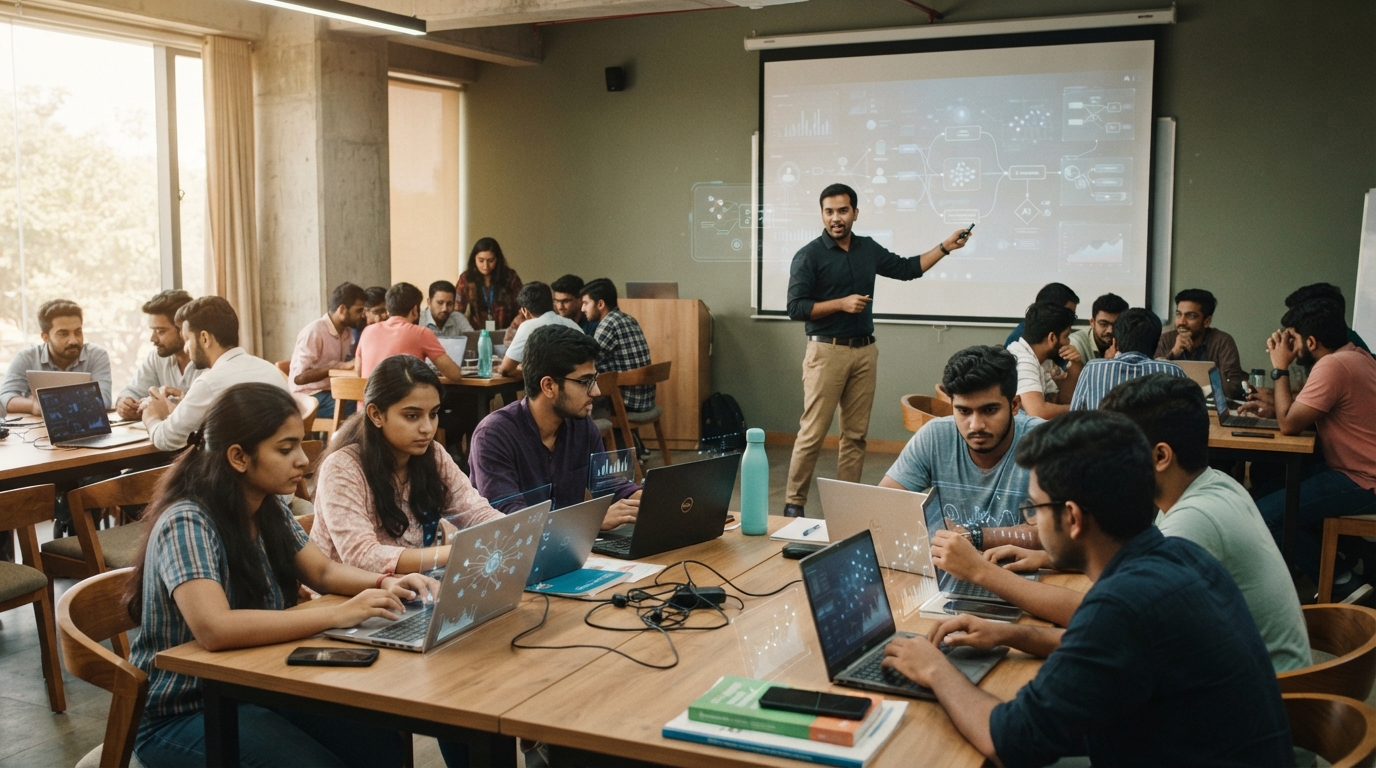
One 3-hour session — the exact mix of tools is tailored to your group, from first-time users to power users. No one is left behind, and no one is held back.
01 · CONTENT
Content Creation
Create video, image and text content with AI.
Claude
ChatGPT
Gemini
Higgsfield
Kling
Flow
02 · FINANCE
Finance & Trading
Use AI for market research, analysis and trades.
ChatGPT Schedule
Claude Skills
03 · DESIGN
UX / UI Design
Design, prototype and critique interfaces with AI.
Pen.app
Claude Design
ChatGPT
04 · MARKETING
Digital Marketing
Run campaigns, SEO and content at AI speed.
ChatGPT
Claude
Lead Gorilla
Semrush
Ahrefs
Ubersuggest
Moz
05 · SALES
Sales & Lead Gen
Find, qualify and reach leads with AI.
Lead Gorilla
Aimfox
Hunter
OPTIONAL ADD-ON
AI Filmmaking & Content Creation
Co-delivered with EskeeWalker Strategies. Sold separately from the core AI Workshop — each
module is its own 3-hour session.
Video & Ad Creation
3 Hours
Focus: Video generation & ad creation
Veo
Kling AI
ChatGPT
Brand Storytelling
3 Hours
Focus: Branding & social media optimization
Kling AI
Seedance
Google AI Studio
AI Filmmaking
3 Hours
Focus: Comprehensive AI filmmaking
Claude
Seedance 2.5
Kling Omni
THE 3-HOUR CURRICULUM
One continuous, single-day flow
Beginner-friendly pacing, with room for advanced participants to stretch further.
Hour 1
FOUNDATIONS · EVERYONE
Prompt engineering: role, context, constraints
Choosing the right tool for the task
Verifying output and catching hallucinations
Responsible use and disclosure rules
Hour 2
APPLIED PRACTICE
Spreadsheet data turned into insight
A private assistant grounded in your documents
AI inside Word, Excel and Outlook
Research and document synthesis
Hour 3
BUILD & PRESENT
Build one finished, usable output
Optional no-code automation demo
Participants present their work
Certificates issued on completion
No prerequisites.
Open to complete beginners through advanced users in the same room, in the same 3 hours.
Learn it. Build it. Use it.
From understanding the idea to using it with confidence in class or at work.
01
Learn
Understand the idea clearly.
02
Practice
Try the tools with guidance.
03
Build
Create a project you can show.
04
Apply
Use it in class or at work.
05
Measure
Reflect, improve and grow.
SS
MEET YOUR INSTRUCTOR
Dr. Shiva Sharma
Assistant Professor · Poddar Group of Institutions
Award-winning academic leader and soft-skills expert with a Ph.D. in Management and 15+
years of experience. He negotiated strategic partnerships with 80+ managers at Tripadvisor
and represented India twice at the SAARC Youth Festival, earning the title “Most
Commendable Orator.” A recognized innovator with two granted patents, he brings the
leadership and communication skills that help participants deploy AI tools with
confidence.
15+
Years of experience
80+
Strategic partnerships
View faculty profile
Dr. Ruchir Saxena
Professor & Head · Poddar Management & Technical Campus
Innovation Ambassador recognized by the Ministry of Education and AICTE, with deep
expertise in machine learning, computer vision and strategic AI integration.
Shubhangini Agarwal
Assistant Professor · Poddar International College
MCA technologist and co-author of “Foundations of AI,” known for turning complex
programming, analytics and AI ideas into accessible learning.
Kritika Dadhich
AI Trainer
Helps learners apply Generative AI, AI tools and prompt engineering to real-world
work across content, marketing and business workflows.
Jitaksh Jain
AI Trainer & Creative Strategist
Founder of Eskeewalker Strategies, focused on AI-driven visual storytelling,
branding workflows and practical creative production.
From AI-curious to AI-capable — for study, work and everything next.
01
AI explorer
02
AI user
03
AI practitioner
04
AI builder
05
AI-confident leader
STAGE 4 OF 5
AI builder
Builds useful workflows, projects and applications.
The goal is not a new title. It is more confidence in class, more capability at work and better output everywhere.
Frequently asked questions.
Everything you need to know before choosing a workshop or bringing AI 360° to your campus
or organisation.
Who are AI 360° workshops designed for?
Students, educators, working professionals, researchers and organisational teams. The
pace, examples and tool mix are adapted to each audience.
Do I need prior AI or technical experience?
No. Complete beginners and advanced users can participate in the same workshop through
guided foundations and optional stretch activities.
Are the workshops live or pre-recorded?
All core workshops are live and mentor-led, with practical exercises, questions and
feedback throughout the session.
Which AI tools will I learn?
The exact mix depends on your level and goals. Programs may include ChatGPT, Claude,
Gemini, NotebookLM, n8n, Google AI Studio and specialist research tools.
Do I need paid subscriptions for the tools?
No. Free versions cover the Basic and Intermediate workshops in full. We will let you
know in advance if an optional specialist tool is recommended.
Will I receive a certificate?
Yes. Participants who complete the workshop activities receive a certificate of
completion from AI 360°.
Can colleges or organisations request a custom workshop?
Yes. We tailor the curriculum, examples and delivery format around your learners, roles
and desired outcomes.
Still have a question? Talk to us
Bring practical AI to your campus or organisation.
Live workshops designed for students, educators, professionals and teams — grounded in the work they actually need to do.